
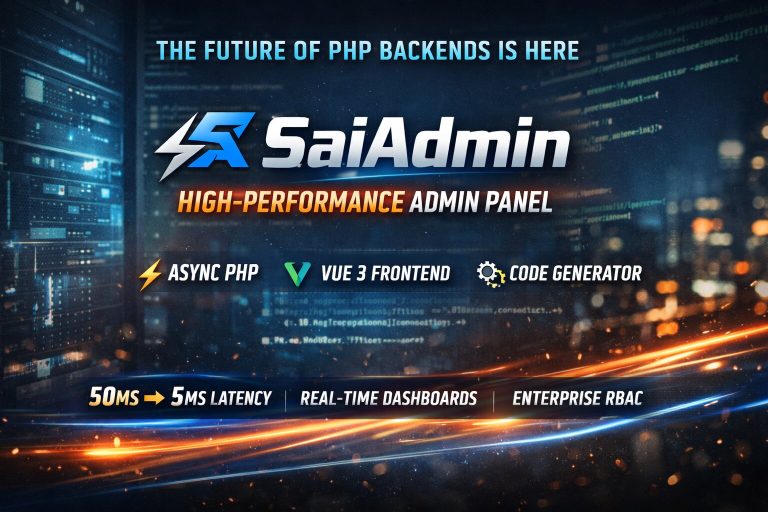

SaiAdmin: A High-Performance PHP Admin Panel Built for Modern Systems
When most developers think about PHP admin panels, they imagine something tied to PHP-FPM, request-per-process execution, and a noticeable performance ceiling.
But that model is no longer the only option.
SaiAdmin flips the script.
Built on top of Webman (which itself is powered by Workerman), SaiAdmin introduces a resident memory architecture — bringing PHP closer to the performance patterns of Node.js or Go.
The result?
⚡ Request latency drops from tens of milliseconds → single digits
⚡ No process bootstrapping per request
⚡ Real-time, high-frequency backend systems become viable in PHP
Why SaiAdmin Exists
Traditional admin systems struggle under:
- high-frequency requests
- real-time dashboards
- complex permission layers
- heavy CRUD operations
SaiAdmin is designed specifically for:
✔ enterprise-level backends
✔ multi-tenant platforms
✔ data-heavy admin dashboards
✔ systems where latency actually matters
It combines:
- Webman (async PHP backend)
- Vue 3 (modern frontend)
- Code generation (rapid dev)
Architecture Overview
Backend: Event-Driven PHP
Instead of restarting the framework on every request (like PHP-FPM), Webman keeps the app in memory:
- event-driven execution
- async processing support
- near-zero bootstrap overhead
This is the core reason SaiAdmin feels fast even under load.
Frontend: Vue 3
The UI is built using:
- component-based architecture
- dynamic routing
- reactive state
This ensures:
✔ smooth interactions
✔ scalable UI
✔ clean separation of concerns
Installation (From Zero to Running in Minutes)
Step 1 — Create Project
composer create-project saithink/saiadmin
cd saiadmin
Step 2 — Configure Database
Edit .env or config/database.php:
- host: localhost
- database: saiadmin
- credentials: your setup
Step 3 — Run Migrations
php think migrate
Step 4 — Start Server
php webman startOpen:
http://localhost:8787
You now have a fully functional admin panel.
Core Features (That Actually Matter)
1. RBAC Permission System
SaiAdmin ships with a full role-based access control system:
Menu Permissions
- stored in database
- dynamic filtering per user
- frontend routes generated automatically
Data Permissions
- enforced via middleware
- supports SQL-level filtering
- perfect for multi-region / multi-tenant apps
👉 Example:
A regional manager sees only their region’s data — enforced at query level.
2. Code Generator (The Real Productivity Engine)
This is where SaiAdmin becomes dangerous (in a good way).
From a single table → full module:
Backend:
- controller
- model
- service layer
Frontend:
- table view
- search filters
- form (create/edit)
- routing
You can configure:
- field types (text, upload, rich editor like Quill)
- validation rules
- search conditions
✔ No boilerplate
✔ No manual wiring
✔ Fully integrated instantly
3. Built-in DevOps & Monitoring
SaiAdmin reduces the need for external tooling:
- 📊 real-time system monitoring (CPU, memory, requests)
- 🧾 operation logs (user actions)
- ⏱ scheduled tasks (cron-based)
- 🐞 slow query tracking & debugging
All accessible directly from the admin UI.
Practical Example: Article Management Module
Let’s say you need a CMS-like feature.
🔑Step 1 — Create Table
CREATE TABLE articles (
  id INT AUTO_INCREMENT PRIMARY KEY,
  title VARCHAR(255),
  content TEXT,
  cover_image VARCHAR(255),
  created_at TIMESTAMP DEFAULT CURRENT_TIMESTAMP,
  updated_at TIMESTAMP DEFAULT CURRENT_TIMESTAMP ON UPDATE CURRENT_TIMESTAMP
);🔑Step 2 — Generate Module
In the admin panel:
- open Code Generator
- import
articles - configure:
- title → searchable
- content → rich text
- image → upload
Click Generate
🔑Step 3 — Done
You instantly get:
- working CRUD backend
- Vue UI pages
- menu integration
👉 Development time:
days → hours
Performance Notes (Important)
- Webman runs long-living processes
- memory must be monitored carefully
- scale using multi-process config:
config/server.php → processUnlike PHP-FPM:
You must think about memory lifecycle, not just requests.
Security Considerations
- enforce HTTPS
- validate permissions at middleware level
- review generated queries
- protect against SQL injection
SaiAdmin gives you power — but you still need discipline.
Best Practices
✔ Use code generator for 80% of CRUD
✔ Extend controllers for custom logic
✔ Keep naming conventions consistent (snake_case)
✔ Monitor memory in production
✔ Use Nginx as reverse proxy
When SaiAdmin Makes Sense
Use it if you need:
✔ high-performance admin panels
✔ real-time dashboards
✔ enterprise-level RBAC
✔ fast internal tool development
Avoid it if:
❌ your app is simple CRUD with low traffic
❌ you don’t need async / performance gains
Final Thoughts
SaiAdmin represents a shift in PHP thinking.
Instead of:
request → boot → execute → die
You now have:
boot once → handle everything → stay alive
That single change unlocks:
🚀 speed
🚀 scalability
🚀 developer productivity
If you’re building serious backend systems in PHP, SaiAdmin + Webman is not just an option — it’s a different category entirely.