

In this article, we share a few tools you can use every day to simplify your routine, streamline common tasks, and improve your development workflow.
1️⃣ Rectangle
Simple window management that saves time
When working as a software engineer, your screen quickly fills up with terminals, editors, browsers, documentation, and debugging tools.
Managing all of them manually becomes distracting and inefficient.
Rectangle solves this with simple keyboard shortcuts for moving and resizing windows.
Instead of dragging windows with your mouse, you can instantly:
- snap windows left or right
- position them at the top or bottom
- arrange them into grid layouts
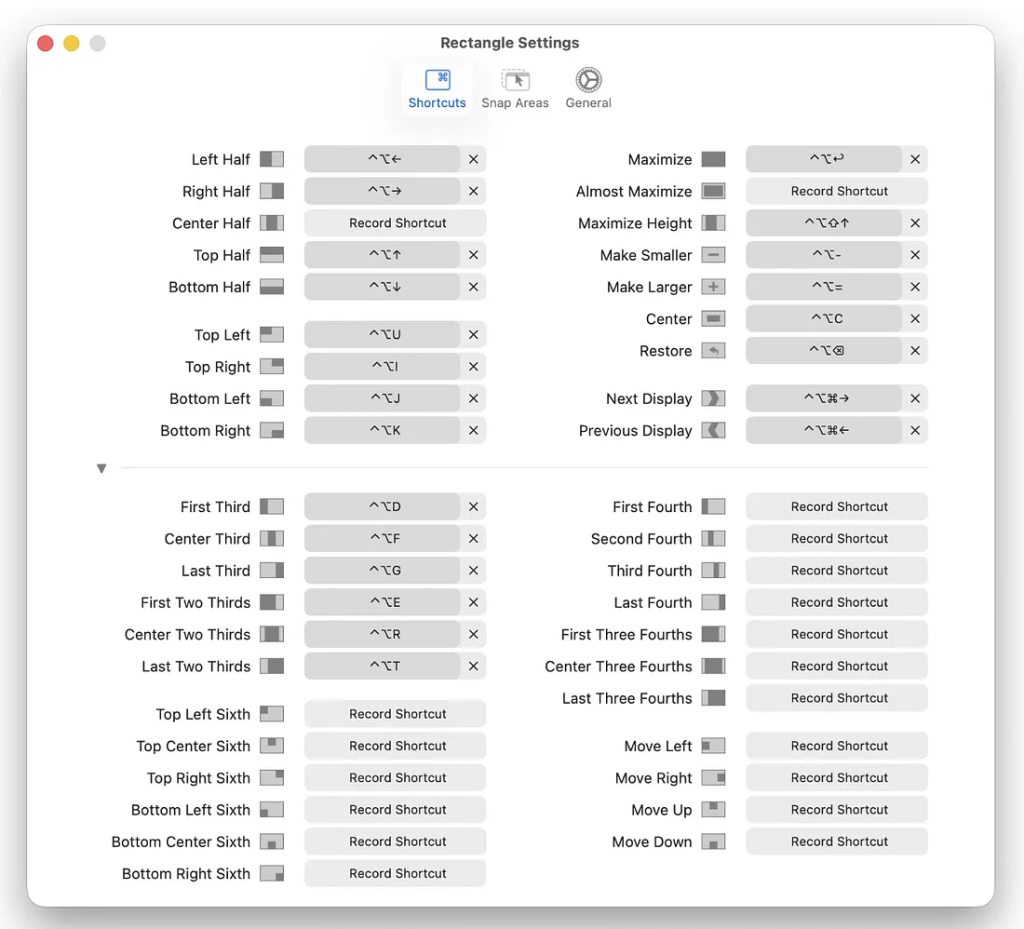
With just a few shortcuts, you can organize your entire workspace in seconds.
Over time, it becomes second nature and makes multitasking much smoother.
👉 A small tool that delivers a noticeable productivity boost.
📌 Available for macOS (with similar alternatives on Windows and Linux)
2️⃣ Maccy
Clipboard history you’ll actually use
Maccy is a lightweight clipboard manager that stores everything you copy — not just the last item.
If you’ve ever copied multiple things and needed something from earlier, you know how frustrating that can be.
With Maccy, that problem disappears.
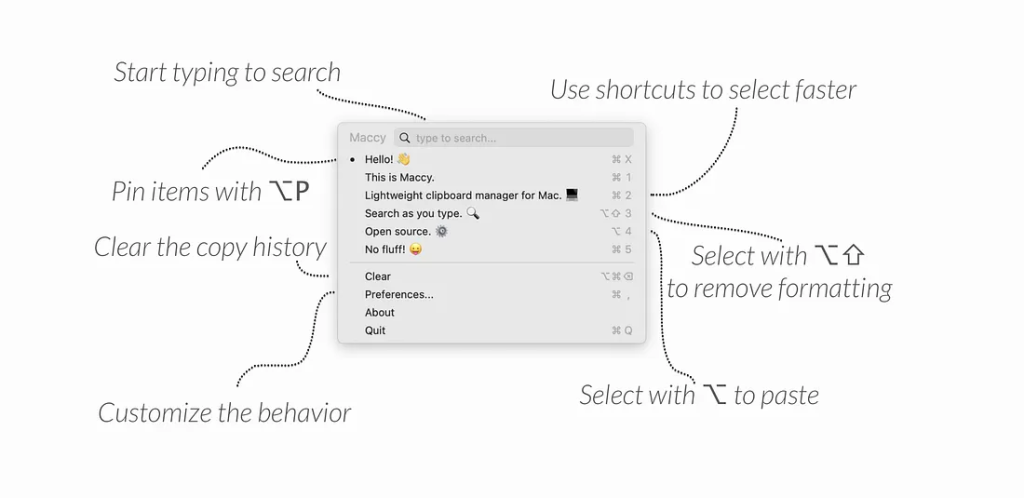
You can:
- browse clipboard history
- search previous items
- quickly reuse text, links, or IDs
It’s especially useful when working with code, documentation, or repetitive data.
👉 Simple, fast, and incredibly practical for daily use.
📌 Available for macOS (with similar tools on Windows and Linux)
3️⃣ Refined GitHub
Small improvements that make GitHub better
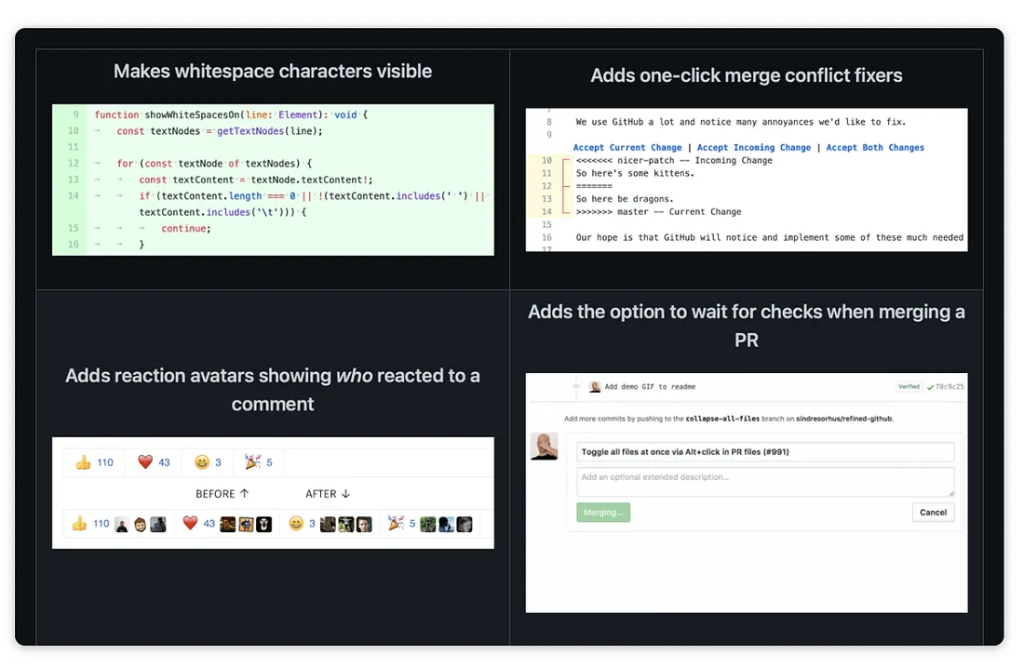
Refined GitHub is a browser extension that enhances the GitHub interface with subtle but powerful improvements.
It doesn’t change how GitHub works — it simply makes it more convenient.
Key features include:
- showing whitespace in diffs (useful for code reviews)
- adding quick links to related pull requests
- displaying reaction avatars
- improving default commit messages
These small enhancements make everyday work with GitHub smoother and more efficient.
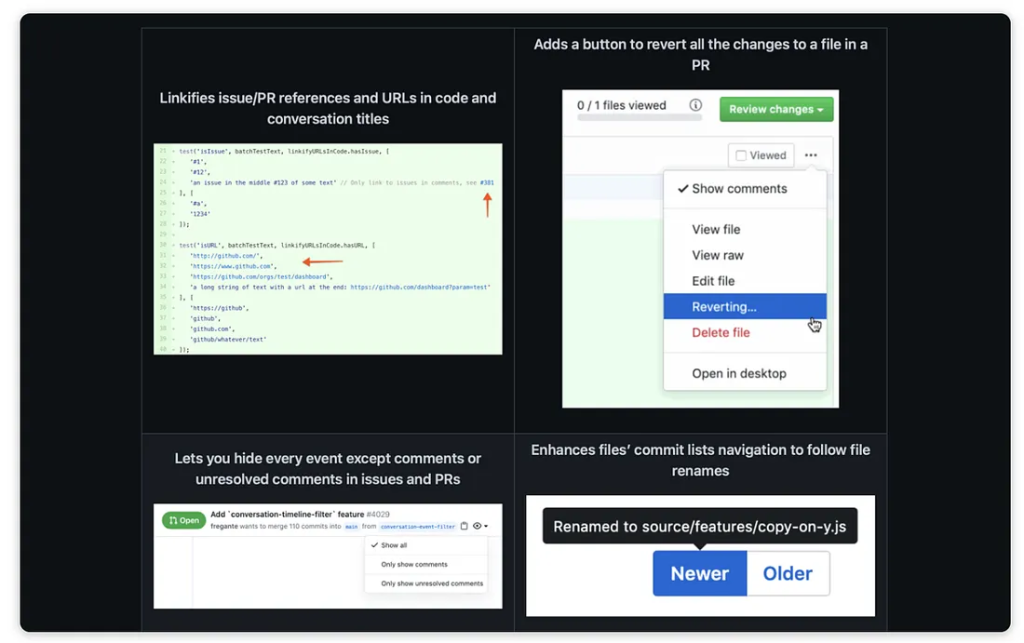
👉 After using it for a while, the default interface feels limited.
📌 Available for Chrome, Firefox, and Safari
📌 Open source and easy to install
Improving productivity isn’t always about writing more code.
It’s about reducing friction in your daily workflow.
These tools don’t add complexity — they remove it.
And over time, small improvements like these make a big difference.
At Skynix, we focus on building efficient systems — not just in code, but in the way teams work every day.
👉 Optimize your workflow. Build smarter.